



Intel Chipset Device Software Version 10.1.20378.8757
- admin
-
 Topic Author
- Offline
- Admin
-

Administrateur
- Fdrsoft (Admin)
- Posts: 684
- Thanks: 451
Intel Chipset Device Software Version 10.1.20378.8757
10 months 1 week ago - 10 months 1 week ago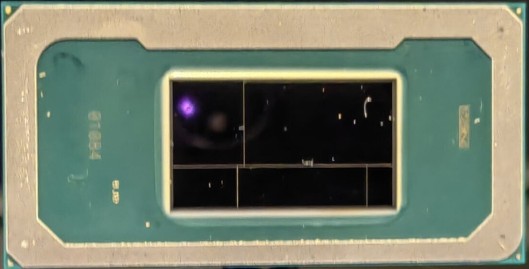
(PantherLake)
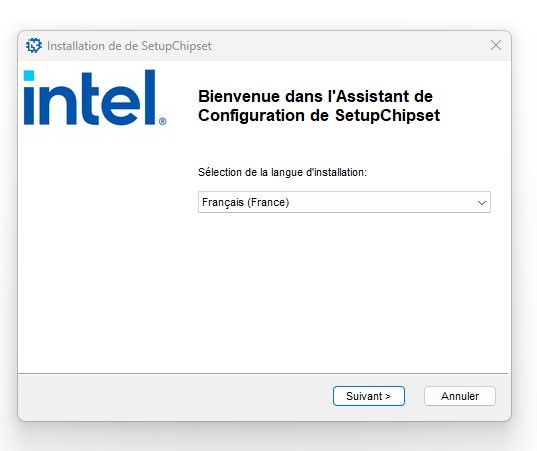
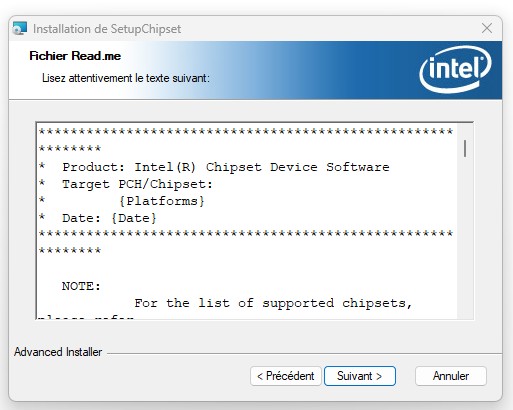
Nouveau pack des drivers Intel Chipset qui prend du poids car il passe d'une 10 Mega a plus de 100Mo pour intégré .NET Framework 4.7.2 et rajoute la prise en charge du nouveau chipset PantherLake et de nouvelle Version pour les chipsets & la certification WHQL plus récentes pour certains.
Download
www.station-drivers.com/index.php/en/com...378.8757/lang,en-gb/
Asus Z890 ProArt, Intel Cpu Core Ultra 7 265K, Memoires 32Go Corsair DDR5 (6000Mhz CL30), Water-cooling Thermaright, nVidia Geforce RTX4060, Alimentation Gigabyte 850W, Samsung SSD 990 Pro, SSD9100 Pro, Steelserie Pro , Souris Razer, Boitier HUMMER, HP Steelserie, Free Fibre Ultra (8Go/8Go), Lan 10Gb, Cable CAT8/7, Switch 10/5/2.5Gbps, Casque Philips Fedelis.
Last edit: 10 months 1 week ago by admin.
The following user(s) said Thank You: duttyend, Feyd
Please Log in or Create an account to join the conversation.
- FirstEver
-

- Away
- The Best Poster
-

Enregistré
- Posts: 119
- Thanks: 206
Re: Intel Chipset Device Software Version 10.1.20378.8757
10 months 5 days ago - 10 months 5 days ago
Long story short...
Intel has created a new "dumb" installer that's 105MB in size, with 10MB installers inside (for x86 and x64) - WHAT A SAVING!
After unpacking it with the command (this unpacked INF/CAT in old EXE installers):
SetupChipset.exe /extract C:\Location
We get two installers: SetupChipset.msi (10.4MB) and SetupChipset64.msi (10.4MB), and an 80.0MB .NET Framework 4.7.2 installer - THE PEOPLE WORKING THERE ARE "GENIUS."
BTW... 80.0MB + 10.4MB + 10.4MB = 100.8MB < 105MB original EXE (this "new" installer doesn't even compress the files, using WinRAR I reduced the size to 87MB).
Question... does anyone know how to unpack the msi to get the INF+CAT files?
Using the command below, I don't get any INF/CAT files. msiexec /a SetupChipset.x64.msi /qb TARGETDIR="C:\Location"
but another SetupChipset.x64.msi + RTF files appears.
I will try to add these new INFs to my Universal Intel Chipset Device Updater which is a staggering 0.7MB in size...
Intel has now created a 150xbetter BIGGER installer... impressive!
Intel has created a new "dumb" installer that's 105MB in size, with 10MB installers inside (for x86 and x64) - WHAT A SAVING!
After unpacking it with the command (this unpacked INF/CAT in old EXE installers):
SetupChipset.exe /extract C:\Location
We get two installers: SetupChipset.msi (10.4MB) and SetupChipset64.msi (10.4MB), and an 80.0MB .NET Framework 4.7.2 installer - THE PEOPLE WORKING THERE ARE "GENIUS."
BTW... 80.0MB + 10.4MB + 10.4MB = 100.8MB < 105MB original EXE (this "new" installer doesn't even compress the files, using WinRAR I reduced the size to 87MB).
Question... does anyone know how to unpack the msi to get the INF+CAT files?
Using the command below, I don't get any INF/CAT files. msiexec /a SetupChipset.x64.msi /qb TARGETDIR="C:\Location"
but another SetupChipset.x64.msi + RTF files appears.
I will try to add these new INFs to my Universal Intel Chipset Device Updater which is a staggering 0.7MB in size...
Intel has now created a 150x
Last edit: 10 months 5 days ago by FirstEver.
The following user(s) said Thank You: THEBOSS619, duttyend
Please Log in or Create an account to join the conversation.
- admin
-
Topic Author
- Offline
- Admin
-
Administrateur
- Fdrsoft (Admin)
- Posts: 684
- Thanks: 451
Re: Intel Chipset Device Software Version 10.1.20378.8757
10 months 5 days ago

Asus Z890 ProArt, Intel Cpu Core Ultra 7 265K, Memoires 32Go Corsair DDR5 (6000Mhz CL30), Water-cooling Thermaright, nVidia Geforce RTX4060, Alimentation Gigabyte 850W, Samsung SSD 990 Pro, SSD9100 Pro, Steelserie Pro , Souris Razer, Boitier HUMMER, HP Steelserie, Free Fibre Ultra (8Go/8Go), Lan 10Gb, Cable CAT8/7, Switch 10/5/2.5Gbps, Casque Philips Fedelis.
The following user(s) said Thank You: THEBOSS619, duttyend
Please Log in or Create an account to join the conversation.
- Ataemonus
-

- Offline
- Poster 2
-

Enregistré
- Posts: 8
- Thanks: 4
Re: Intel Chipset Device Software Version 10.1.20378.8757
10 months 5 days ago
Just install the darned thing, it will dump all the INF and CAT files in the DriverStore folder. Seems to have the -overall flag by default, which is quite dumb.
The most work is cleaning the useless INF files and folders afterwards.
The most work is cleaning the useless INF files and folders afterwards.
The following user(s) said Thank You: THEBOSS619
Please Log in or Create an account to join the conversation.
- admin
-
Topic Author
- Offline
- Admin
-
Administrateur
- Fdrsoft (Admin)
- Posts: 684
- Thanks: 451
Re: Intel Chipset Device Software Version 10.1.20378.8757
10 months 5 days ago
I think this update is for the new PantherLake chipset and for others, the WHQL certification for Windows 11 25H2

Asus Z890 ProArt, Intel Cpu Core Ultra 7 265K, Memoires 32Go Corsair DDR5 (6000Mhz CL30), Water-cooling Thermaright, nVidia Geforce RTX4060, Alimentation Gigabyte 850W, Samsung SSD 990 Pro, SSD9100 Pro, Steelserie Pro , Souris Razer, Boitier HUMMER, HP Steelserie, Free Fibre Ultra (8Go/8Go), Lan 10Gb, Cable CAT8/7, Switch 10/5/2.5Gbps, Casque Philips Fedelis.
The following user(s) said Thank You: THEBOSS619, duttyend, fikotr74
Please Log in or Create an account to join the conversation.
Time to create page: 0.084 seconds